

Your week, in coloured blocks Pro
The Timeline shows when each session happened, day by day.
Sep 22 – 28
16h 20m · 7 of 7 days
Deep workReadingGuitar

Habit time tracker for iPhone
Tap a name and your time starts. Reflect when you finish, with questions you write yourself. Burrow learns when you usually start, and nudges you only if you forget.
Free to start, with Burrow Pro for more. iPhone, iOS 17 or later.


Hi, I'm Marko. Tap an activity and I'll keep time.

How it works
One timer, one tap, and a few questions when you finish. Everything else builds up on its own.
Your time starts. Tap again to pause, then finish. Your timer stays on the Lock Screen, and if you forgot to start, add the time by hand.
A short reflection when you finish, one question at a time. A rating, a note, or questions you wrote yourself. Skip any of them.
Burrow notices when you usually start each habit and nudges you only if you forget. Your answers turn into insights.
Reflections
When you finish, Burrow asks a few short questions, one at a time. Every activity comes with a 1 to 5 rating and a note. Skip any question, any time.

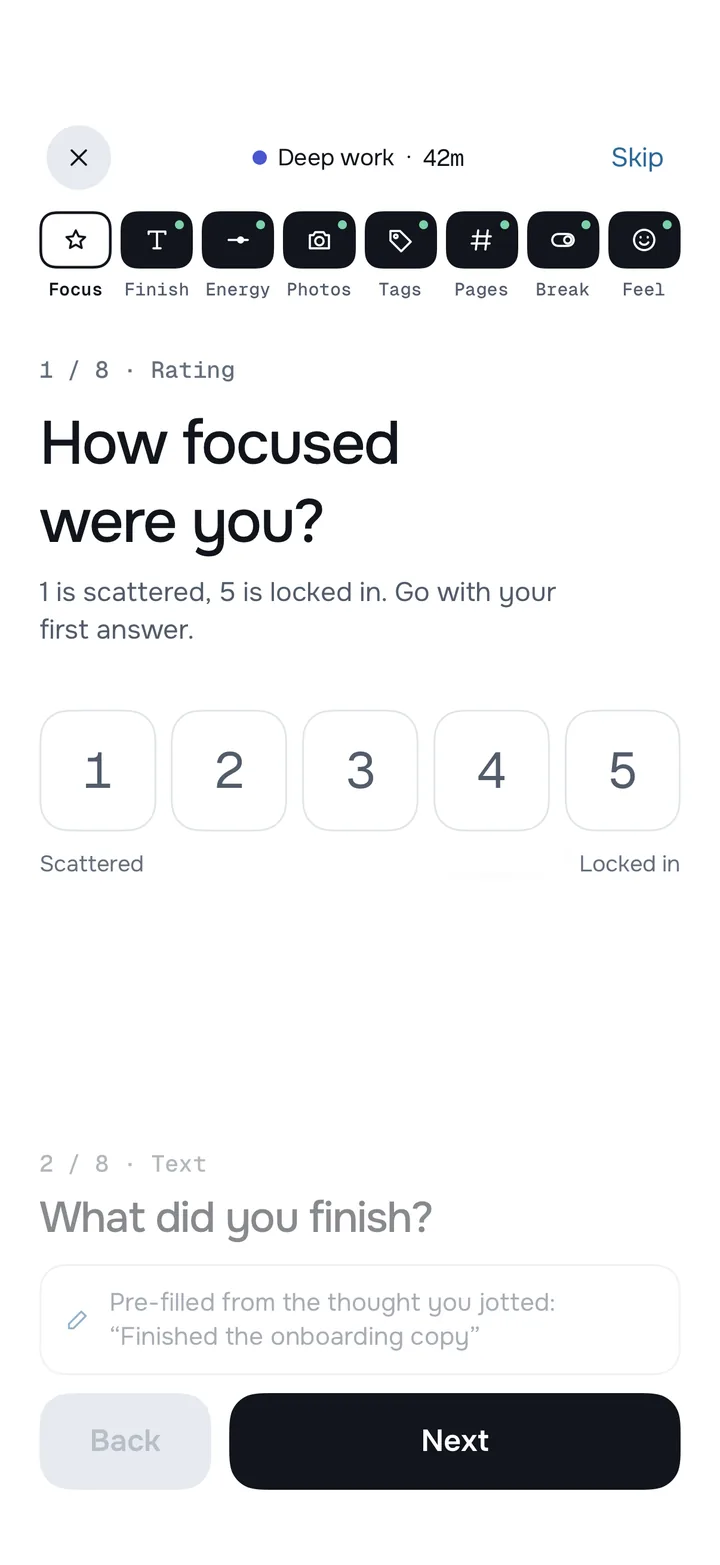
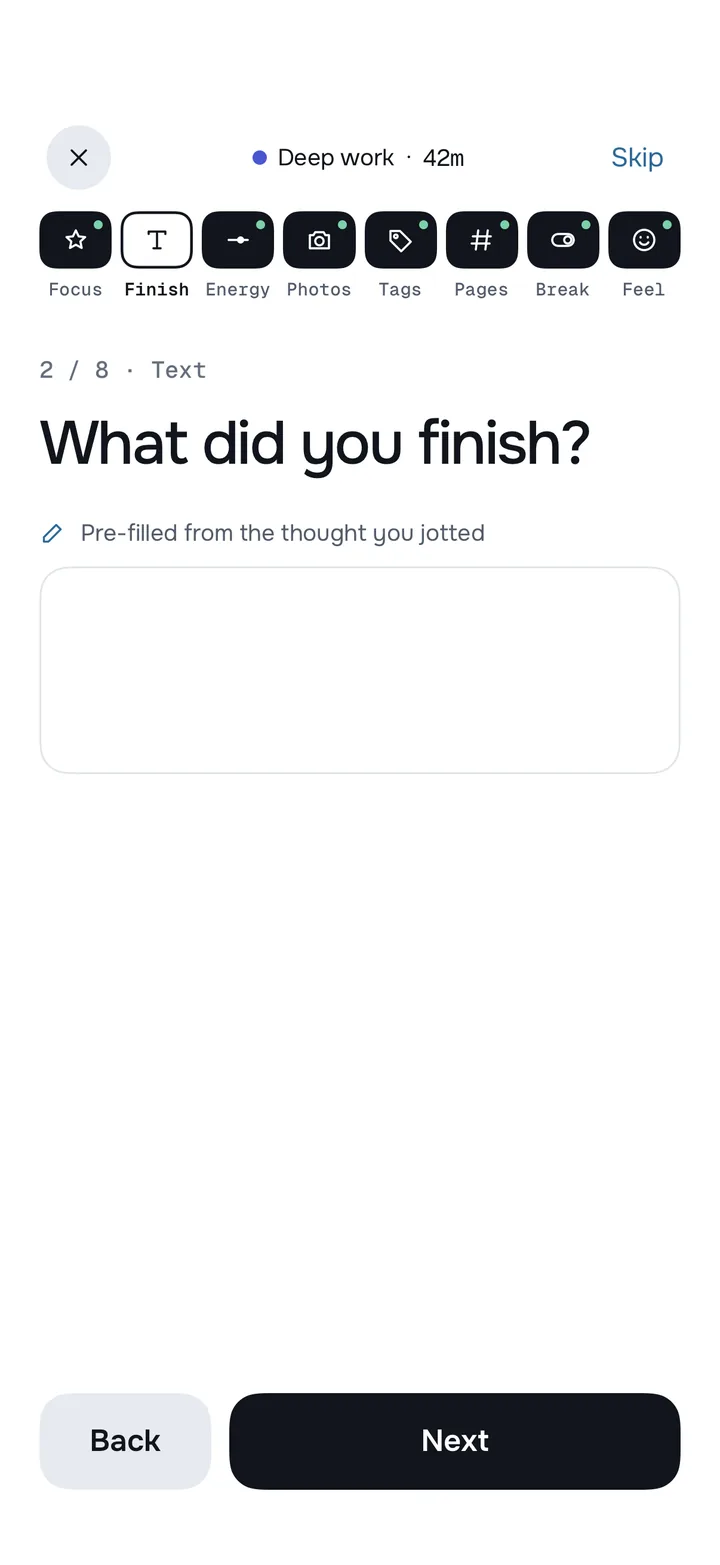
 Finished the onboarding copy

Your own questions
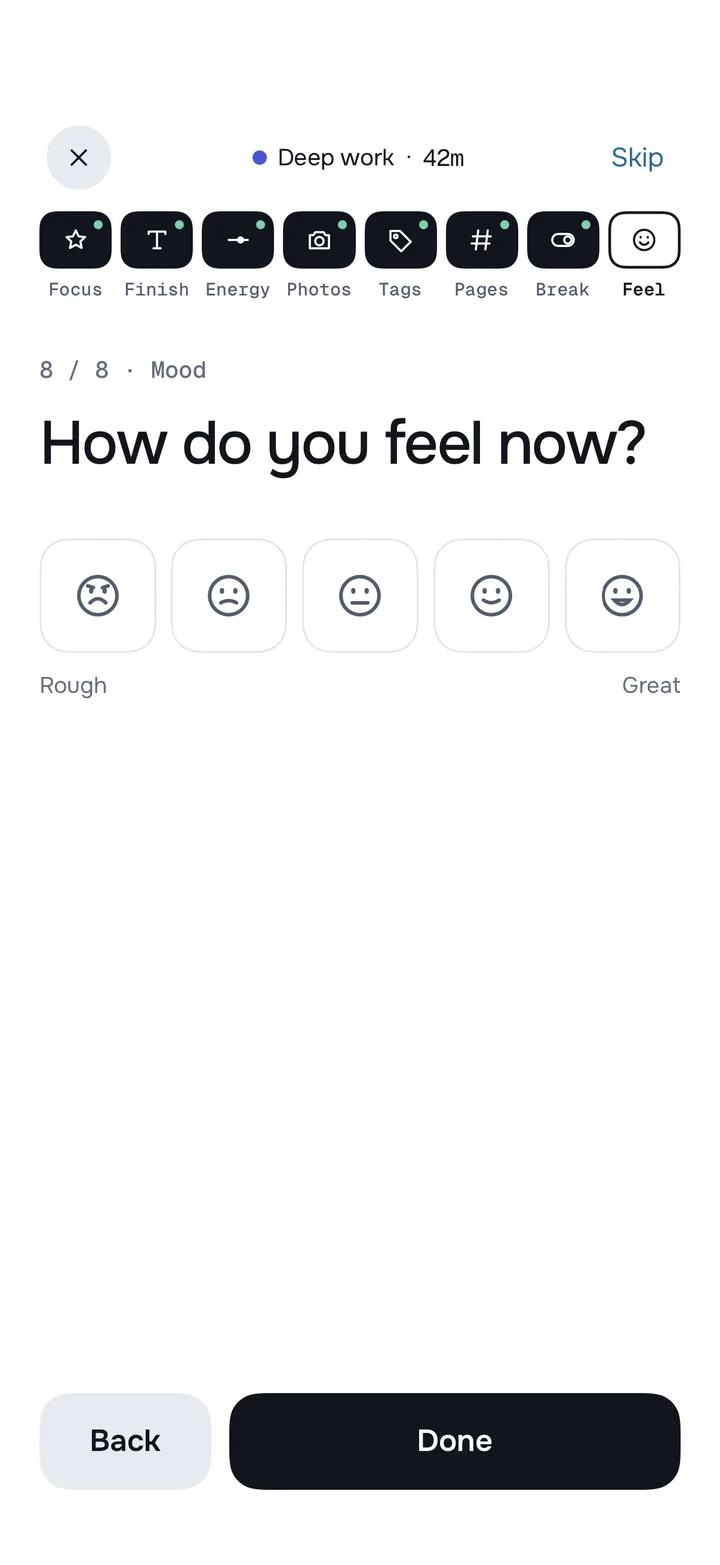
Build a reflection for each activity from 8 kinds of question. Put them in your order, or start from a template. Your answers become the insights later.
A line or a page, in your words.
1 to 5, with your own end labels.
Pages, reps, km, with a unit.
One tap. Warmed up first?
Up to 6, from the camera or your library.
Five faces, rough to great.
Anywhere between two words.
Reusable chips, add new ones on the spot.
Or save any activity's questions as your own template. Note and Rating are free; the other six kinds and every template come with Burrow Pro.
History and insights
History keeps every session with its answers. Over the weeks, they turn into a calm picture of your time, and into insights you can act on.
The Timeline shows when each session happened, day by day.
Year in minutes adds it all up, with your streaks, best streak and goals.

Like the session length where you focus best, with the evidence behind it.

Ratings, numbers and moods over time, with patterns, records and trends.

Every session with its answers. Edit or delete any of them.

Your week in one look: totals, goals closed and your best day.

Smart nudges
Burrow learns when you usually start each habit, and nudges you only if you forget. No fixed alarms, and never streak guilt.


You usually read about now on weekdays. 12 min closes today.

Lock Screen and widgets
A Live Activity keeps your timer on the Lock Screen and in the Dynamic Island. Pause or finish without opening the app.


The Live Activity and the Marko widget are free. The Lock Screen ring and the other widgets come with Burrow Pro.
Marko and gems
Earn gems by showing up: the minutes you track. Spend them on Marko's hats, scarves and backgrounds, on streak freezes, or on unlocking one feature at a time.


Privacy
No account, and what you write never reaches any server. A few anonymous usage stats and your purchase do. Here is exactly what, and how to turn it off.
No sign-up, no email, no password. Open the app and start.
Your notes, reflections, photos and activity names stay on your iPhone, in your own iCloud Drive if you turn on backup, or in files you export.
Anonymous statistics, like which features get used and a rough location such as your country, help improve the app. Never what you write. On by default; one switch in Settings › Privacy turns them off.
No ads, no selling your data, and no tracking you across other apps or websites.

Purchases go through Apple, and RevenueCat keeps track of your subscription so Pro turns on and Restore works. Burrow never sees your payment details.
Burrow Pro
Everything you need to build the habit.
For when Burrow becomes part of your day.
Burrow Pro is an auto-renewing subscription, monthly or yearly, paid through your Apple Account at the price the App Store shows in your country and currency. Cancel any time in your Apple Account settings. If Pro ends, everything you've recorded stays on your iPhone. Prefer to earn it? Gems can unlock single features, one at a time.
FAQ
Yes, to start. The free version has the timer and Live Activity, up to 3 activities, a rating and a note after each session, History, smart nudges and more. Burrow Pro adds unlimited activities, every kind of question and template, the Timeline, all charts and insights, and every widget. It's billed monthly or yearly at the price the App Store shows for your country.
No. There's no account and no sign-up. Open the app, name your first activity and tap it.
On your iPhone. If you turn on iCloud Drive backup, a copy of your last 7 nights goes to your own iCloud Drive. You can export your history as a file, or a backup file for another phone, whenever you like.
Anonymous usage statistics: which features get used, how long timers run, and a rough location such as your city or country. They're tied to a random ID the app makes, never to your name or Apple Account, and they never include your activity names, notes, answers or photos. They're on by default, and you can turn them off in Settings › Privacy › Share usage data. Purchases are handled by Apple and RevenueCat. The privacy policy has every detail.
No. A nudge comes only when you'd usually have started and haven't. By default that's two a day at most, never in your quiet hours, and never about streaks. You can see what Burrow has learned, change it, or turn smart nudges off.
Gems are earned by tracking time. They can't be bought, and they can't be cashed out. Spend them on Marko's wardrobe, streak freezes, or unlocking a single feature.
iPhone, with iOS 17 or later. The Live Activity shows in the Dynamic Island on iPhones that have one.
In your iPhone's Settings, tap your name, then Subscriptions. Cancel at least 24 hours before the period ends to avoid the next renewal. Everything you've recorded stays on your iPhone.
Burrow is coming soon to the App Store. Questions before then? Write to support@helloburrow.com.
Burrow is coming soon to the App Store, for iPhone.